




















Write the email once. Send it in every market.
Create, adapt and localise individual marketing emails, ready for deployment.






What it does
From a brief or source content to subject lines, body copy, CTAs and variants, the Email Agent is for producing launch-ready emails — new or adapted from what you already have.
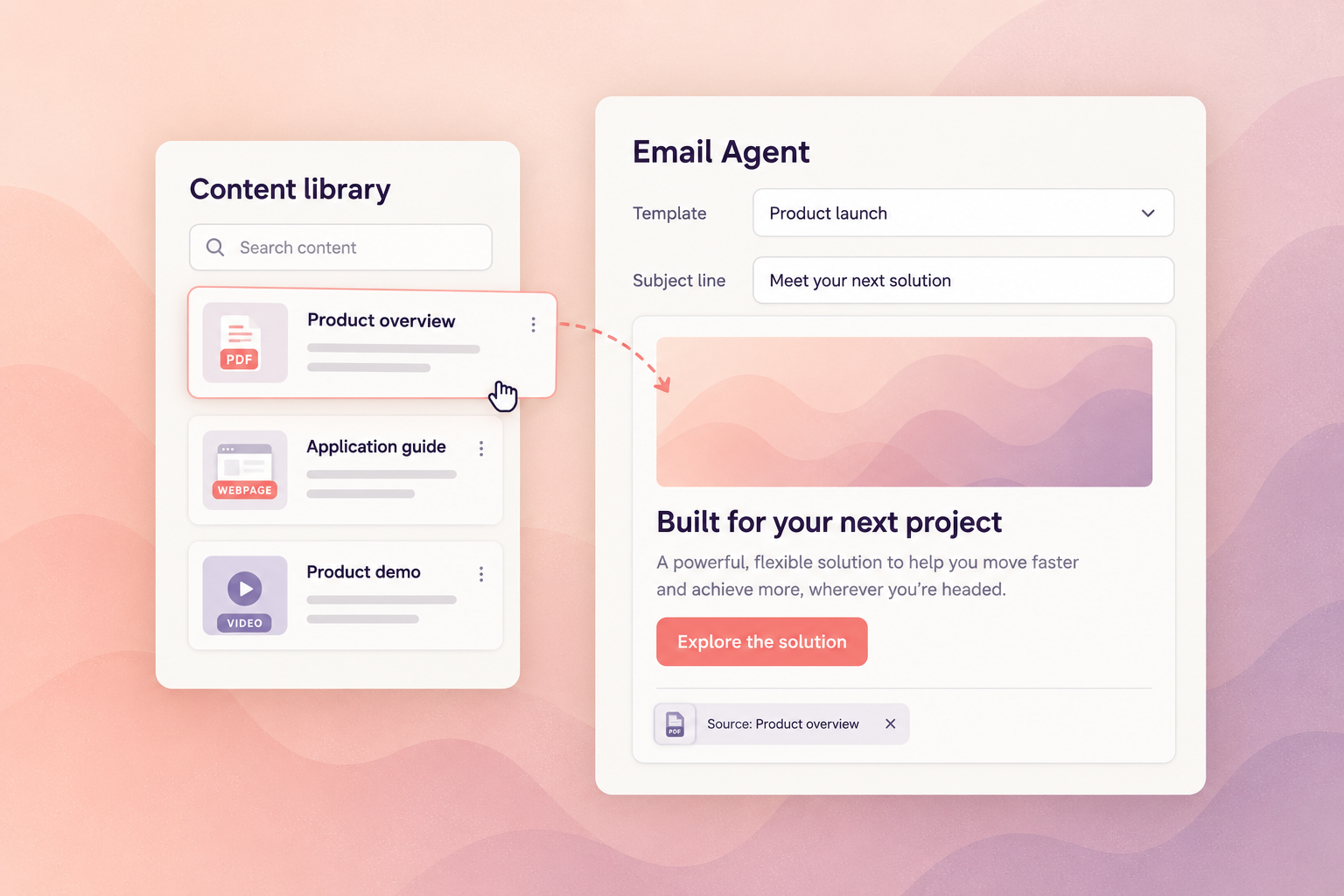
An email campaign in practice. Choose from modules based on your existing email templates and drag source content from your library into them — documents, webpages, PDFs or videos. Magnity writes and adapts the email content directly in the modules, for the personas and buying stages you select.
Adapt and translate for each market, check the content against your configured brand and compliance rules, and route it for human review. Export approved emails to your connected email platform, where your team manages campaign logic and sending.
Capabilities
Several options per email, written for the market and the audience — not translated from one original.
The full email from a brief or from content you already have, with calls to action that match the campaign's intent.
Alternative versions for testing, personas or segments, produced together rather than one at a time.
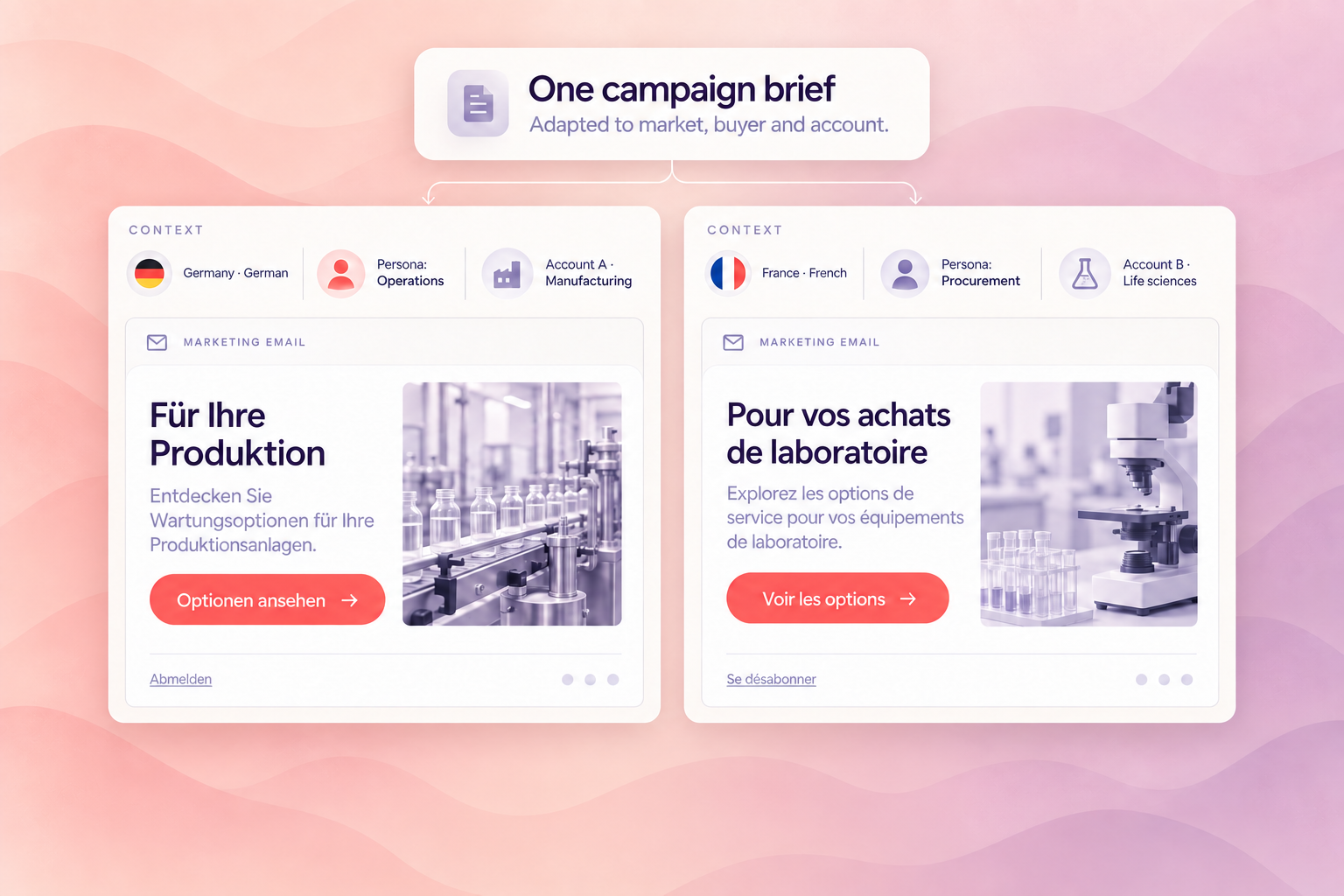
Every market in its own language, adapted rather than translated. Included in every licence — never a separate purchase.
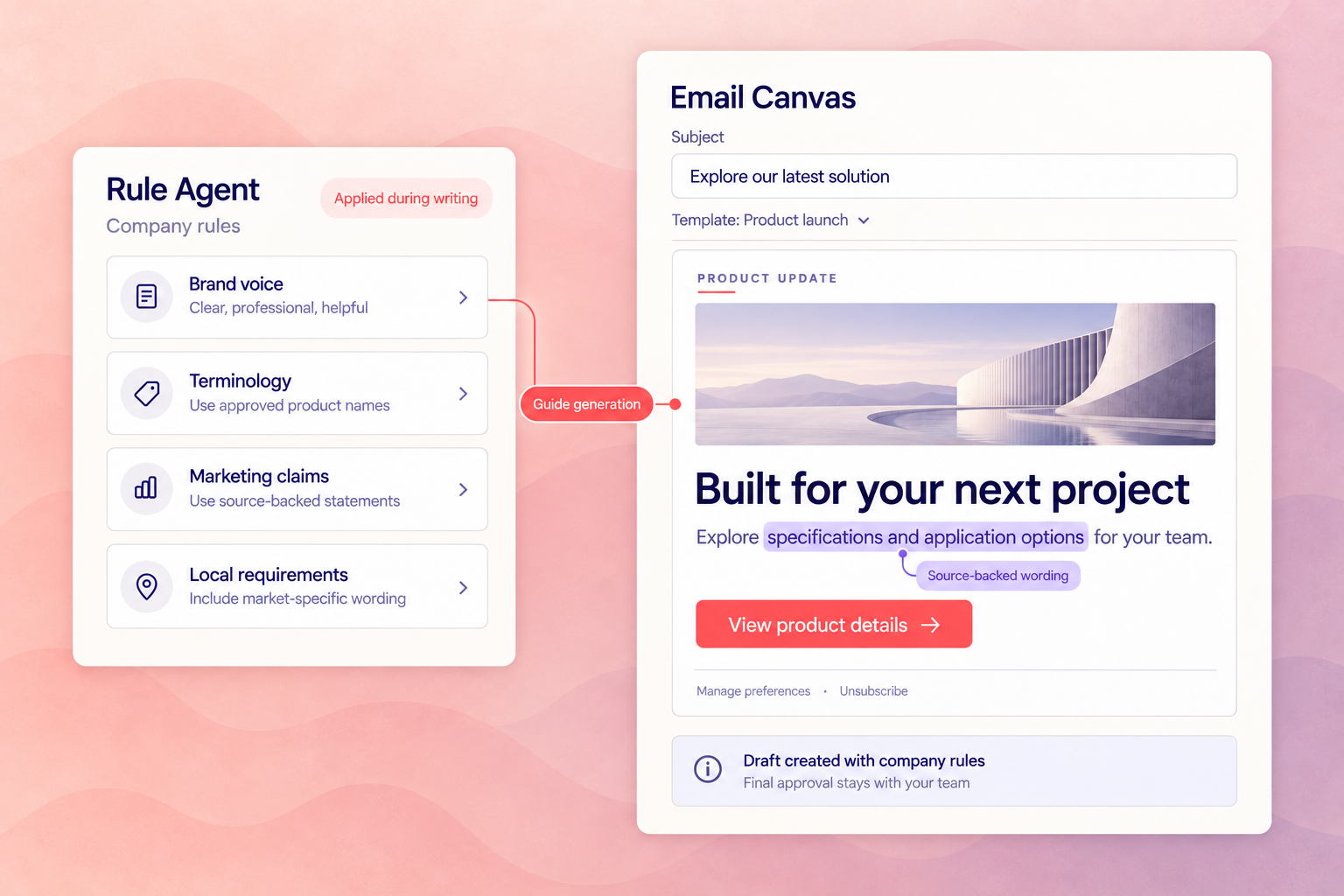
Your configured tone applied while the email is written, so drafts arrive sounding like you.
Your rules run during writing, not after. Content follows them before anyone reviews it.
How it works
Create the first draft
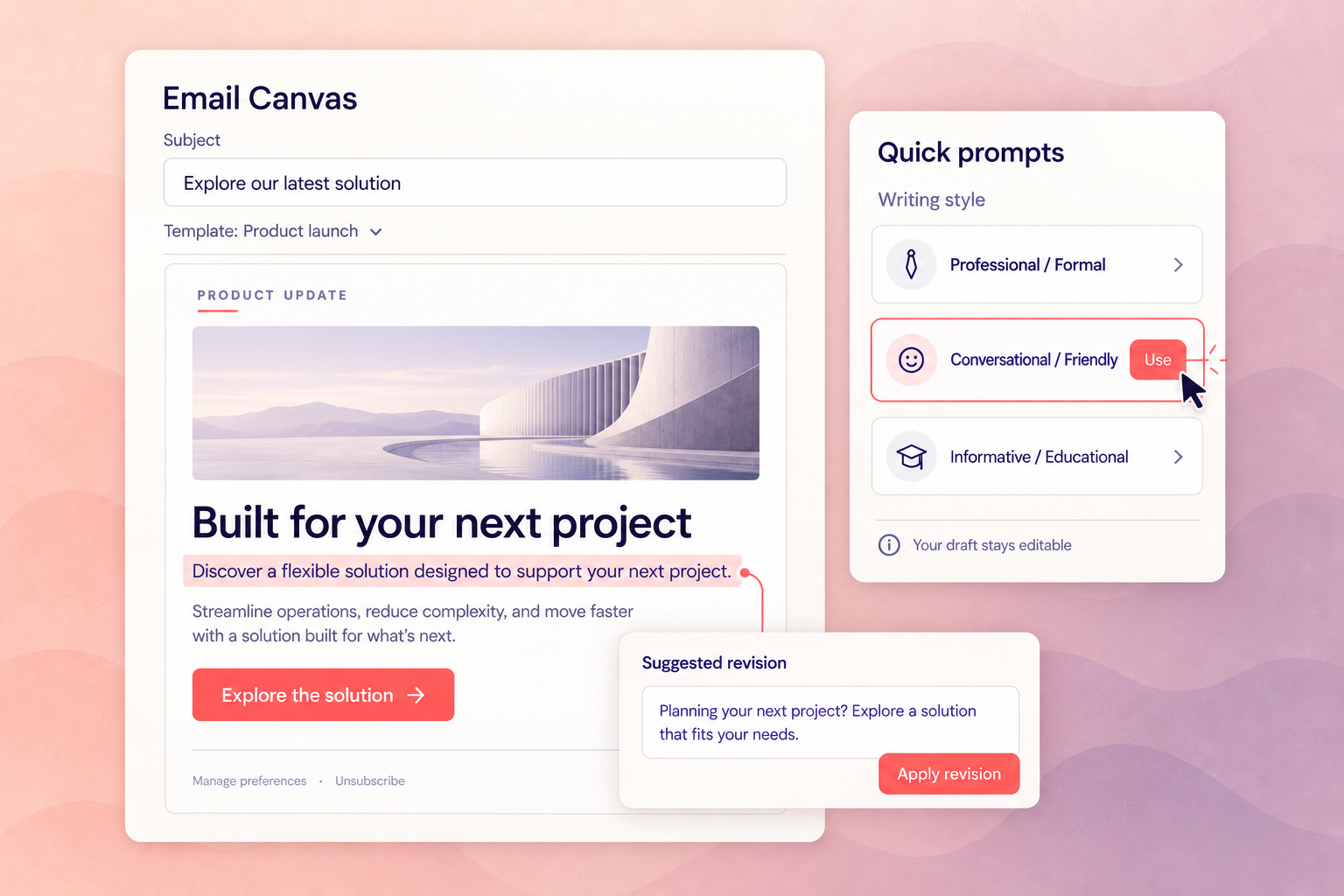
Choose modules based on your existing email templates and drag in source content — documents, webpages, PDFs or videos. Magnity writes the email, and Quick Prompts refine its writing style in the same canvas.
Adapt it for every market and buyer
Every market gets its own language, adapted rather than translated, with persona and buying-stage context applied — unlimited markets and languages on every plan.
Check, review and export
Your rules are applied while the email is written, so the draft that reaches review already follows them. Approved emails export to your connected email platform, where your team manages sending.

Questions we get
Why does localising one campaign take weeks?
Because most teams translate finished emails instead of generating them per market. Each market waits for the source to be final, then queues for a translator, then queues again for local review. Magnity produces every market's version from the same brief, adapted rather than translated, with unlimited markets and languages on every plan.
We already have writers and an agency. What actually changes?
The first draft stops being the bottleneck. Briefing, waiting, and rewriting for each market is where the calendar goes — not the writing itself. Your writers keep judgement and final copy; what they stop doing is producing the sixth version of an email they already wrote.
How do we know the emails follow our rules?
Rules are applied while the email is written, not checked afterwards. Your rulesets are configured once and invoked at generation, so the draft that reaches review already follows them. The Compliance Agent can then review the finished document against the full ruleset and return structured findings and fixes.
Does this replace Marketo?
No. Marketo stays your activation system. The Email Agent produces launch-ready emails; sending, scheduling and automation stay where they are. Magnity does not send or publish unless explicitly integrated and approved.
Is this a separate tool for my team?
No. It's email production appearing in the workspace your team already uses: every Magnity licence includes the Content Agent, the canvas where research, planning, value proposition work and drafting already happen.
Works with the Journey Flow Agent. Where the Email Agent writes one email, the Journey Flow Agent plans the whole journey and can invoke the Email Agent to create every email inside it.
What doesn't the Email Agent do?
It does not send. Marketo stays your activation system. Magnity prepares launch-ready emails; deployment and scheduling stay where they are.
It does not approve. Your review and sign-off process is unchanged. Legal, regulatory and medical approval remain yours.
It is only as good as your rules. Output quality depends on how completely your tone of voice, personas and rules are configured. That configuration is real work, and it is what Ramp-up is for.
Explore the other agents









See this agent on your own content.
A working session on your material, your rules and your markets — not a generic demo.
Book a demoWould you rather have our team run it? See full service →